I wanted to play around with a newer version of Laravel, specifically the newest available at this time which was 12.2. It’s been a while since I have messed with Laravel. Most PHP back-ended projects I’ve been a part of include a custom framework, no framework at all, or Cake or CodeIgniter.
A project idea I’ve had for a while was an RSS Aggregator. This project would allow the user to copy articles or items from remote RSS feeds and add them to their own custom feed. Most news, sports, and other sites out there have RSS feeds available, which allow each access to articles they’ve published to their websites.
Sections Needed by the Aggregator
The aggregator project I created needed the following parts:
My Feed (main section) – posts saved from remote RSS feeds.
Configure External RSS Feeds – housing the ability to add, remove, delete, or edit links to external feeds such as FOX Sports or ESPN.
Import Posts – select an external RSS feed from the previously noted section and be able to view and import any of the posts listed in that feed.
My Feed (Main Section)
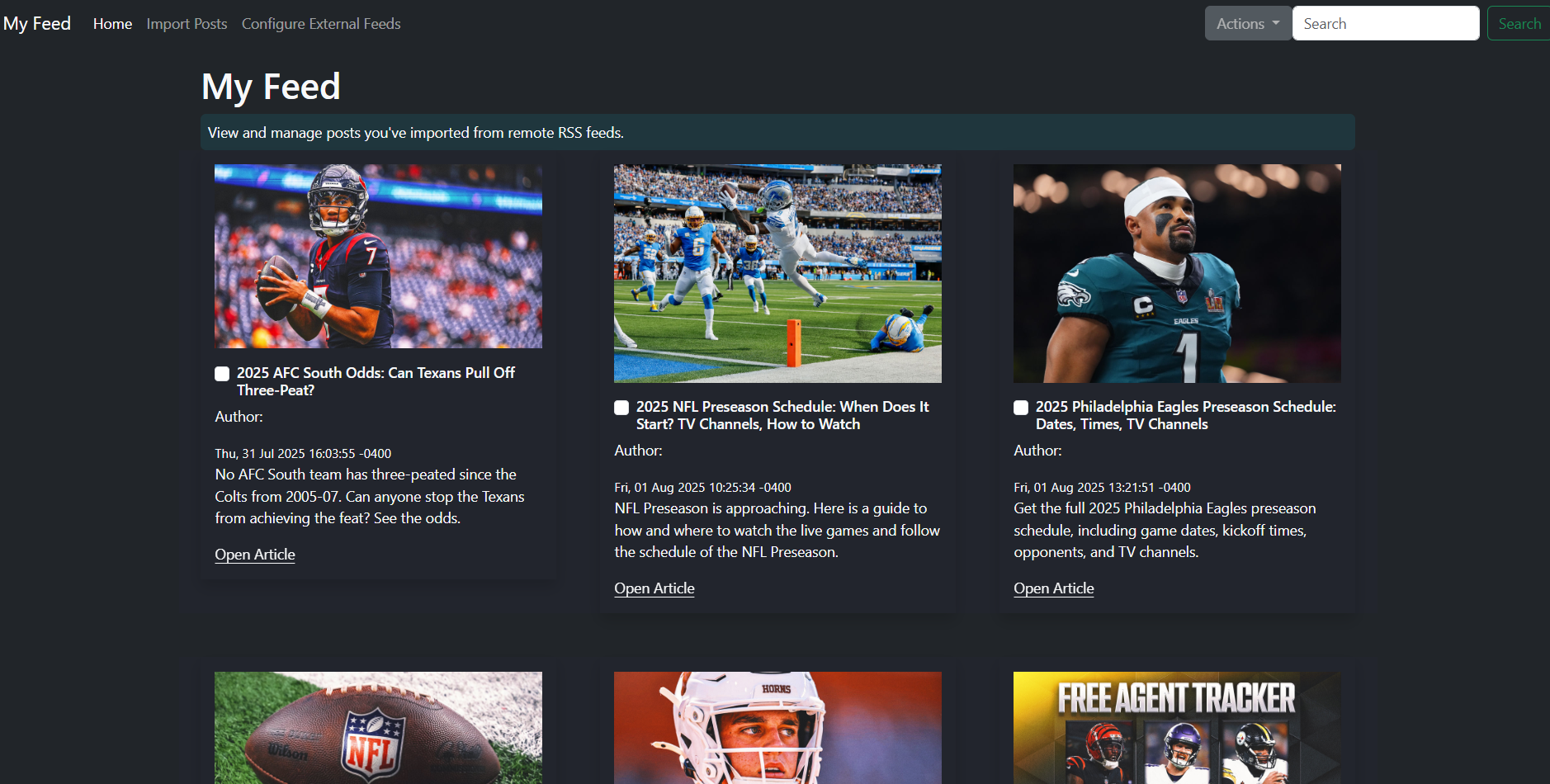
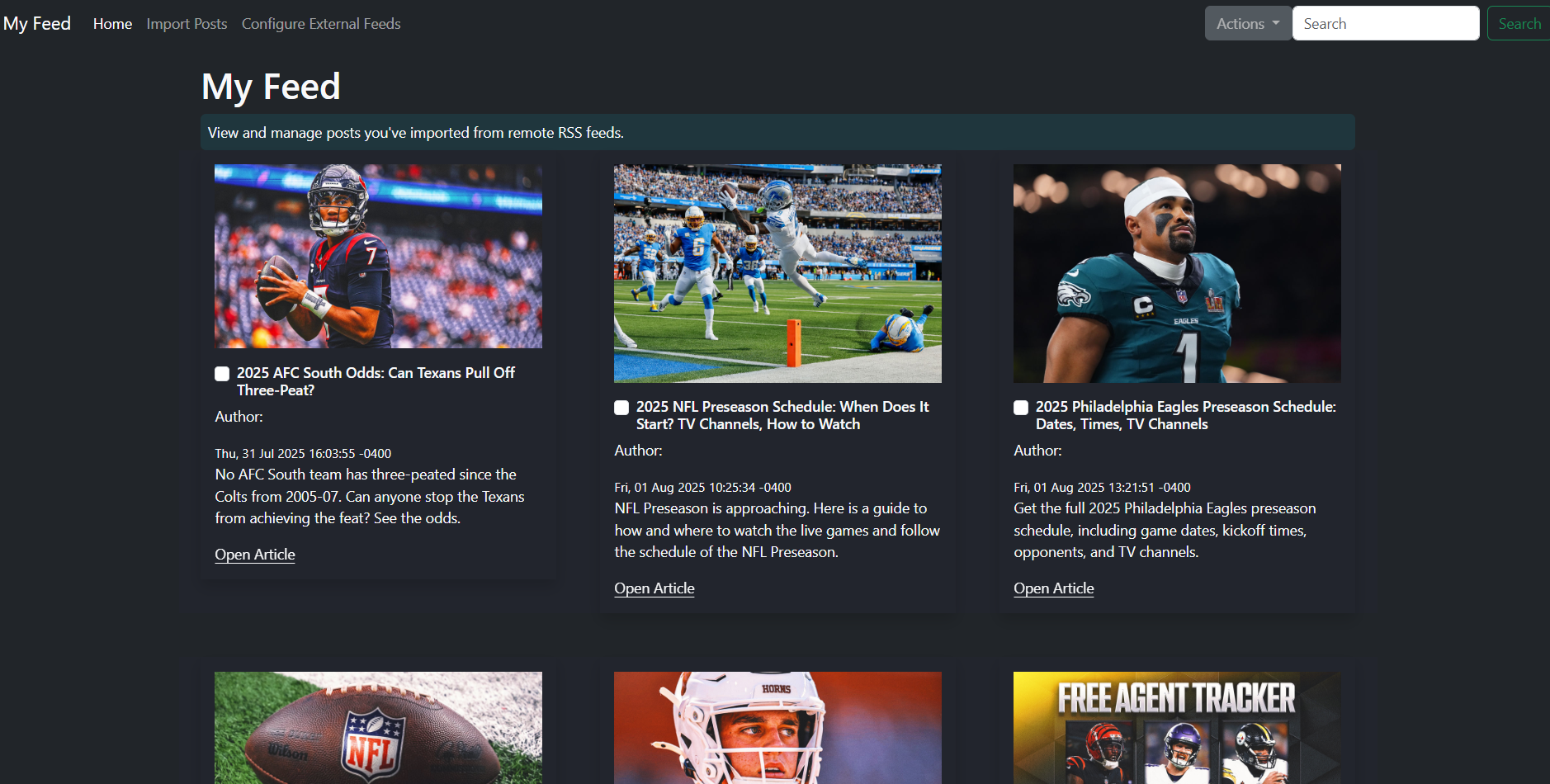
Above is a screenshot of the My Feed section of the aggregator. It consists of RSS articles taken from external NFL sources. Once added to My Feed, a user can select the checkbox, hit the Actions dropdown button in the upper right corner of the screen, and delete the item if they wish. They can also click the Open Article link at the bottom of each feature to view the article in its entirety.
Configure External RSS Feeds
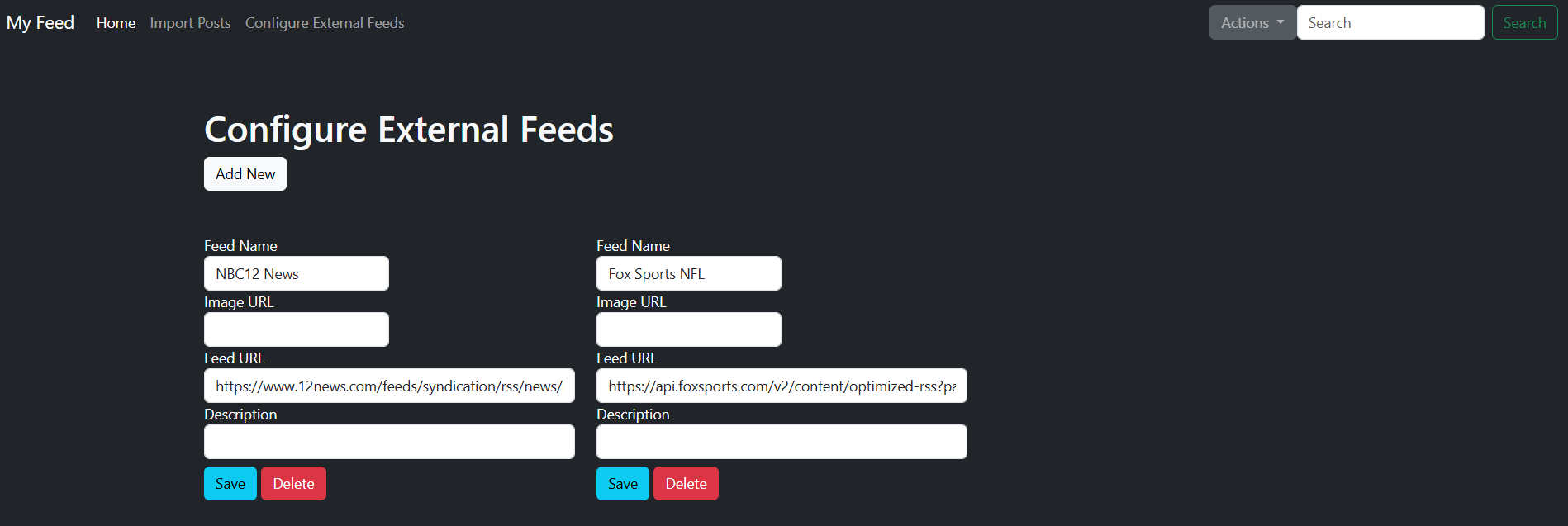
In the above photo, you can see where we add, delete, and edit remote RSS feeds to take articles from. This is fairly straightforward and saves these entries to a table in our aggregation database.
Import Posts

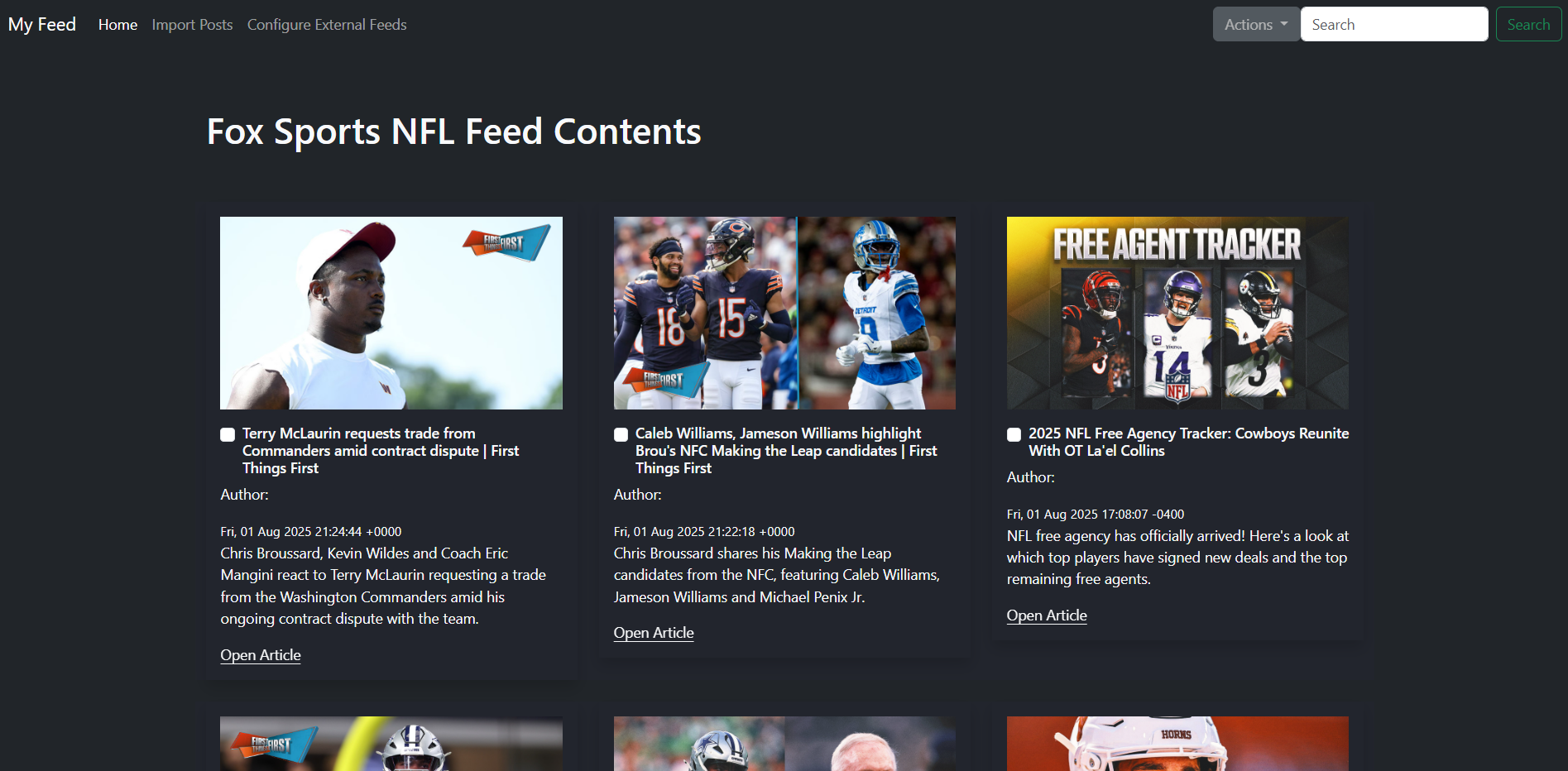
To import posts from RSS feeds available in our database, you have to click the feed of your choosing in the Import Posts section, as shown in the first photo. The second photo showcases the content of the feed you selected. Once the feed is loaded onto the webpage, you can select any amount of posts you wish. Then, click the Actions dropdown in the upper right corner and hit Add. This will add the selected items to our My Feed page.
Summary
This project was pretty straightforward and easy to accomplish with the PHP Laravel framework. The one thing that stuck out to me was possible abuse by the public if I was to publish this to my website. I’ve had other projects posted to my site in that past that were overused/abused in the past, and I don’t want that happening with this RSS Aggregator Project. So I went ahead and disabled a few actions inside the app itself. Check it out here.